
Epson vs Canon Colour Label Printers: Which One Should You Buy?
Sep 25th 2026
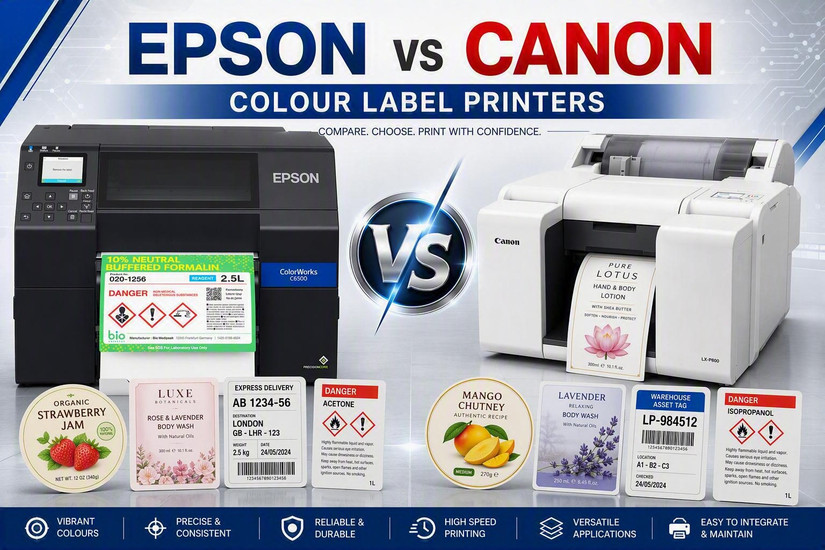
You've decided to bring colour labels in-house. No more minimum order quantities, no more pallets of pre-printed labels made obsolete by a formula change, no more waiting on a converter for a 200-label run. Then you start shopping and hit the next question: Epson or Canon?
Both make excellent colour inkjet label printers, and we carry both. But they are not interchangeable. The right choice depends on four things: the ink your labels need, how wide they are, how many you print, and how the printer has to fit into your existing systems. This guide breaks down every Epson and Canon model we stock and shows which one fits which job.
The Short Answer
- Choose Epson ColorWorks if your labels need to survive water, chemicals or handling, if you need ZPL II emulation to drop into a system built around Zebra printers, or if you want the widest range of speeds and form factors under one brand.
- Choose the Canon LX-D5500 if you want fast, vivid 4" labels for indoor products at up to 7.9 inches per second, with large 240 ml ink cartridges.
- Choose the Canon LG-P800 if you need wide labels up to 8.5" with durable pigment ink in a high-mix, lower-volume workflow, with a built-in cutter and on-board job storage.
The rest of this guide explains why.
The Models at a Glance
| Model | Ink | Max print width | Max speed | Resolution | Best for |
|---|---|---|---|---|---|
| Epson CW-D3800 | Dye | 4.25" | 3.94 in/s | 600 × 1200 dpi | Low-volume labels, badges, shelf tags, wristbands |
| Epson CW-C4000 | Pigment | 4.25" | 3.94 in/s | Up to 1200 × 1200 dpi | Small-batch durable product labels |
| Epson CW-C6000 | Pigment | 4.25" | 5 in/s | Up to 1200 × 1200 dpi | Mid-volume 4" labels, cutter or peel-and-present |
| Epson CW-C6500 | Pigment | 8.34" | 5 in/s | Up to 1200 × 1200 dpi | Wide durable labels at production speed |
| Epson CW-C8000 | Pigment | 4.25" | 11.8 in/s | 600 × 1200 dpi | High-volume batch printing |
| Canon LX-D5500 | Dye | 4.17" | 7.9 in/s | 1200 × 1200 dpi | Fast, vivid 4" labels for indoor products |
| Canon LG-P800 | Pigment | 8.5" | 1.85 in/s | 1200 × 1200 dpi | Wide, high-mix labels in lower volumes |
Speeds are manufacturer maximums, usually in a draft or speed mode. Real throughput at full quality is lower, so always compare at the quality setting you'll actually use.
Difference #1: Pigment vs Dye Ink
This is the most important decision, and it matters more than the brand name on the front.
Pigment ink sits on top of the label surface as fine particles. It resists water, smudging and fading, which makes it the right choice for labels that get wet, handled, refrigerated or exposed to chemicals. Every Epson ColorWorks C-series model (C4000, C6000, C6500 and C8000) uses Epson's UltraChrome DL pigment ink, as does the Canon LG-P800.
Dye ink soaks into the label coating. It produces very rich, saturated colour, and it tends to cost less per label, but it is less resistant to water and UV light. The Canon LX-D5500 and Epson CW-D3800 use dye ink. They're a great fit for retail shelf labels, bakery and deli labels, promotional labels, badges and anything with a short life indoors.
Rule of thumb: if your label goes in a fridge, near water, on a chemical container or outdoors, start with pigment. If it lives on a dry shelf and needs to pop, dye will serve you well.
Difference #2: Chemical and GHS Compliance
If you label chemicals for international shipping or marine transport, you'll run into the BS 5609 standard. It tests whether a label stays attached and readable after long exposure to salt water.
Epson has had its ColorWorks CW-C4000 and CW-C6000/C6500 series BS 5609 certified with UltraChrome DL pigment ink when used with specific certified poly media. That makes Epson the more proven choice for GHS drum and container labels. Note that certification applies to the printer, ink and media together, so talk to us about the right label stock before you print compliance labels.
Difference #3: Label Width
Start with your widest label. It narrows the field quickly.
- Up to about 4": every model except the two wide printers. That covers most product, nutrition, supplement and cosmetic labels.
- Wider than 4.25": you're choosing between the Epson CW-C6500 (8.34" print width) and the Canon LG-P800 (8.5" media width). Wide printers also let you print two or three smaller labels side by side.
Between those two, the deciding factor is usually speed. The C6500 runs up to 5 inches per second, while the LG-P800 prints at about 0.55 in/s in its standard mode (up to 1.85 in/s at its fastest). The LG-P800 makes up for it with a built-in auto-cutter, a 500 GB hard drive for storing jobs, a 4.3" touchscreen, 300 ml ink cartridges that can be swapped without stopping a job, and support for labels up to 53" long.
Difference #4: Speed and Volume
Size your printer for your busiest week, not your average one.
- Occasional or small-batch printing: Epson CW-D3800 (dye) or Epson CW-C4000 (pigment), both up to 3.94 in/s.
- Steady daily production of 4" labels: Epson CW-C6000 at up to 5 in/s. Choose the A model for an auto-cutter or the P model for peel-and-present.
- High-volume 4" runs: this is where Epson and Canon compete head to head. The Canon LX-D5500 prints up to 7.9 in/s with dye ink, gives a first label in 10 seconds or less, and is rated for 6 million sheets or 5 years. The Epson CW-C8000 is faster at up to 11.8 in/s and uses pigment ink, so it's the pick when durability and top speed both matter.
Difference #5: How It Fits Your Systems
A label printer that won't talk to your ERP, WMS or labelling software creates more work, not less.
Epson ColorWorks printers support ZPL II emulation and ESC/Label, work with SAP and common labelling software, and support Windows, macOS and Linux. If your operation already prints from systems built around Zebra thermal printers, a ColorWorks printer can often slot in with minimal change. It's one of the biggest reasons businesses standardize on Epson.
Canon's label printers are driver-based and designed around Windows workflows. The LX-D5500 and LG-P800 both connect by USB and Gigabit Ethernet. They're a great fit for teams that design and print labels from a Windows PC with standard labelling software. If you need ZPL, Mac or Linux support, confirm compatibility with us before you buy.
Difference #6: Running Costs
The printer price is only part of the cost. Every model here uses separate cyan, magenta, yellow and black cartridges, so you only replace the colour that runs out. Canon's cartridges are large, at 240 ml for the LX-D5500 and 300 ml for the LG-P800, which means fewer changes on busy days. Budget for a maintenance box or cartridge too, since inkjet printers use a little ink to keep the printhead clean.
Your real cost per label depends on ink coverage, label size and label stock. Send us a sample label design and your monthly volume, and we'll estimate the cost per label on each printer you're considering.
Which Printer for Which Industry?
| Application | What matters | Our starting recommendation |
|---|---|---|
| Craft beer, wine and spirits | Water and ice-bucket resistance, short seasonal runs | Epson CW-C4000 or CW-C6000 (pigment) |
| Chemicals and GHS drum labels | BS 5609, pictograms, wide labels | Epson CW-C6500 (8") or CW-C6000 (4") |
| Food manufacturing and packaging | Refrigeration, allergen and nutrition changes, volume | Epson CW-C6000 or CW-C8000 |
| Bakery, deli and grab-and-go | Vivid colour, speed, short shelf life | Canon LX-D5500 or Epson CW-D3800 |
| Cosmetics, candles and personal care | Brand-colour accuracy, fine text, oils and handling | Epson CW-C4000 (pigment); Canon LX-D5500 for dry-shelf items |
| Supplements and nutraceuticals | Many SKUs, small print, regulatory text | Epson CW-C4000 or CW-C6000 |
| Horticulture and home goods | Wide or long labels, moisture | Canon LG-P800 or Epson CW-C6500 |
| Retail shelf tags, visitor badges, wristbands | Low volume, low entry cost, compact size | Epson CW-D3800 |
| Replacing a Zebra thermal printer with colour | ZPL compatibility, ERP/WMS integration | Any Epson ColorWorks C-series model |
How to Choose in Four Steps
- Ink first. Will the label get wet, cold, handled or exposed to chemicals? Choose pigment. Dry shelf and short life? Dye is fine and very vivid.
- Then width. Over 4.25"? You're down to the Epson CW-C6500 or Canon LG-P800.
- Then volume at peak. Low volume points to the CW-D3800 or C4000. Steady production points to the C6000. High volume points to the LX-D5500 (dye) or C8000 (pigment).
- Then integration. Printing from SAP, a WMS or a Zebra-based system? Epson's ZPL II emulation makes the switch simpler. Printing from a Windows PC with labelling software? Canon and Epson both work.
Don't Forget the Labels
Colour inkjet printers need inkjet-receptive label stock. Thermal labels made for a Zebra printer won't work. The finish you choose (matte or gloss, paper or synthetic) affects colour, durability and cost as much as the printer does. Browse our matte paper, gloss paper, matte synthetic and gloss synthetic inkjet labels, or ask us to match a stock to your ink and application.
Frequently Asked Questions
Is Epson or Canon better for colour label printing?
Neither is better across the board. Epson ColorWorks offers the wider lineup, pigment ink on every C-series model, BS 5609 certification and ZPL II emulation. Canon offers a fast dye-ink 4" printer (LX-D5500, up to 7.9 in/s) and a wide 8.5" pigment printer (LG-P800) with a built-in cutter and job storage. The best choice depends on your ink, width, volume and systems.
What's the difference between pigment and dye ink labels?
Pigment ink sits on the label surface and resists water, smudging and fading, so it's best for durable or regulated labels. Dye ink absorbs into the coating and gives very vivid colour, but it's less water- and UV-resistant, so it's best for indoor labels with a shorter life.
Can I use my existing thermal labels in an Epson or Canon colour printer?
No. Colour inkjet printers need inkjet-receptive label stock. Direct thermal and thermal transfer labels are made for thermal printers and won't hold inkjet ink properly.
Which colour label printer works with ZPL or SAP?
Epson ColorWorks C-series printers support ZPL II emulation and SAP integration, so they can often replace a Zebra thermal printer in an existing workflow with minimal change.
Which printer should I choose for GHS chemical labels?
We usually recommend the Epson CW-C6000 (4") or CW-C6500 (8"). Epson's C-series has been BS 5609 certified with UltraChrome DL pigment ink when used with certified poly media.
Which printer handles labels wider than 4 inches?
The Epson CW-C6500 (8.34" print width, up to 5 in/s) and the Canon LG-P800 (up to 8.5" media) both print wide labels. Choose the C6500 for production speed and the LG-P800 for high-mix, lower-volume work.
Still Not Sure? Let's Compare Them on Your Labels
Spec sheets only tell part of the story. The best way to choose is to see your own label printed on each machine. Ahearn & Soper has helped Canadian businesses choose, install and support labelling hardware for decades. We'll look at your label designs, volumes and systems, recommend the right Epson or Canon model, and supply the ink, media and support that go with it.
Browse all colour label printers, compare the full Epson range in our ColorWorks C-series guide, or contact us for a recommendation. You can also call us at 1-800-263-4258.